

Introduction
Authentication is determining if a user is who they say they are. Authentication is essential to access secure information like bank accounts, insurance cover or online shopping websites.
To authenticate (or log in), users must prove their identity by entering credentials such as a username or password. Providing accessible authentication helps everyone log in easily to websites and apps without having to remember or transcribe login information.

Afia is beginning to show signs of dementia and has trouble with short-term memory loss. When she wants to log in to her online shopping accounts, she often has trouble remembering her login details. She relies on her password manager to store and fill in her usernames and passwords so she doesn’t have to remember them all.
Why is it important?
Remembering login credentials can be challenging for people with and without disabilities. People who have difficulty with memory, reading (e.g., dyslexia) or numbers (e.g., dyscalculia) may struggle with tasks that require remembering and entering login information. This type of task is known as a cognitive function test.
What is a cognitive function test?
According to the W3C, a cognitive function test (CFT) is “a task that requires the user to remember, manipulate, or transcribe information”.
Types of cognitive function tests include:
- Remembering website or app-specific information such as:
- Usernames, passwords, sets of characters, images or patterns.
- A random string of characters (such as a customer number or passcode).
- A pattern gesture on a mobile device
- Transcribing information such as:
- Typing in characters (for example, if a field doesn’t allow ‘copy and paste’.)
- Typing in a two-factor authentication code.
- Manipulating data such as:
- Using the correct spelling.
- Doing calculations involving maths.
- Solving puzzles.
Note: It’s perfectly acceptable to ask for information that’s personal to the user and consistent across other websites and apps they might use, such as their name, email address and phone number.
Authentication shouldn’t rely on someone’s ability to complete a cognitive function test unless there is:
- An alternative way to authenticate that doesn’t include a cognitive function test.
- A mechanism to help users complete the cognitive function test.
Except when the cognitive function test relates to:
- Recognising objects, for example, images of “boats” in an accessible CAPTCHA.
- Identifying personal content such as images, audio and video that a user has previously uploaded. Text-based personal content is unacceptable in a cognitive function test as it relies on memory and transcription.
Alternative ways to authenticate
If you provide an alternative way of authenticating, there are several different ways that enable people with disabilities to authenticate easily.
Passwordless authentication
Passwordless authentication improves the log in process by eliminating passwords, meaning users do not have to rely on their own cognitive abilities. Examples of passwordless authentication include biometrics, magic links and social authentication.
Biometrics
Fingerprints and face recognition are two examples of biometrics (e.g. physical characteristics) used to identify a person. Using biometrics automates authentication making it easy for users to log in without a username and password.
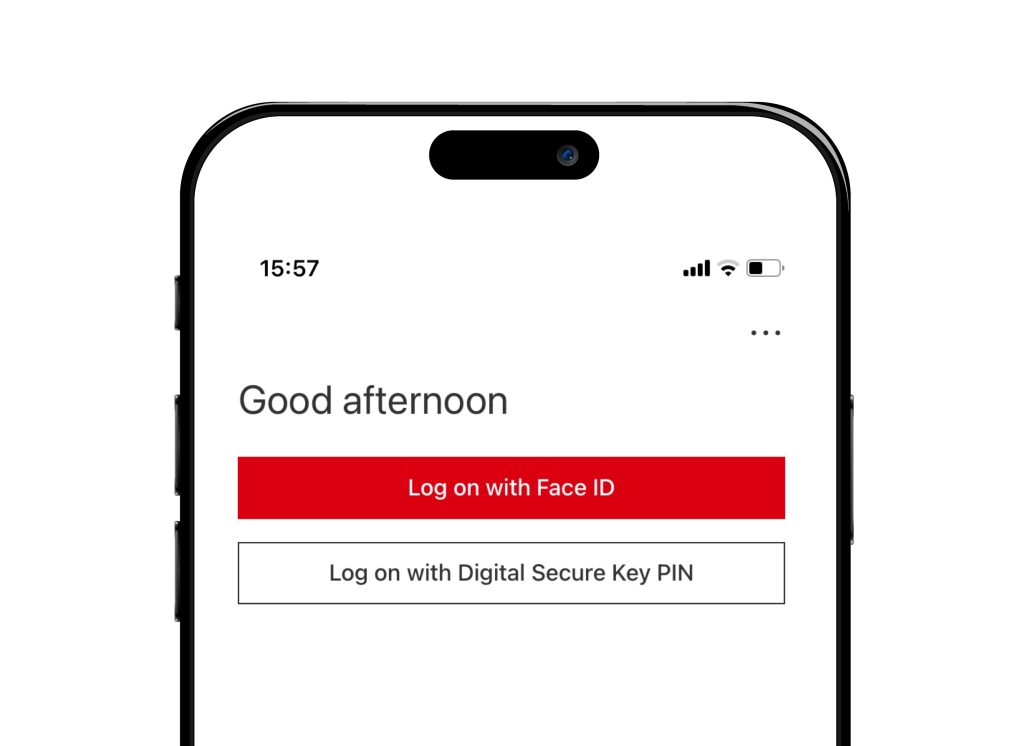
HSBC’s mobile banking app gives users a choice of logging in with Face ID (biometrics) or a Digital Secure Key PIN.
Magic links
One-time links or ‘magic links’ enable users to authenticate without a password. During the authentication process, a user would enter their username into a form, and the website or app would send a link to the user’s email address or mobile phone via text. When the user clicks on the link, they will be automatically logged in as if by ‘magic’ without needing a password.
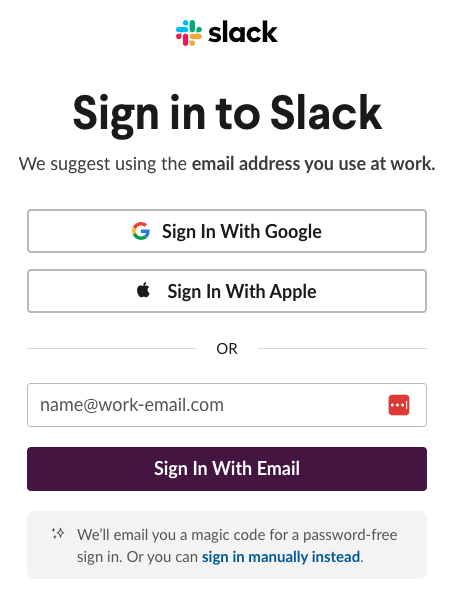
Slack gives users the option to log in with email (magic links) or via social authentication.
Social Authentication
Social authentication enables users to log in to a website or app using their login credentials from a well-known provider such as Google, Facebook or Apple. Social authentication is an excellent alternative to a cognitive function test as it removes the need to remember another set of login details. You’ll need to consider that some people won’t want to use this method of authenticating, whereas other people may not have a social media account to use.
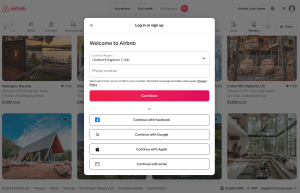
Airbnb allows users to login via social authentication with Facebook, Google or Apple.
Helping users to complete authentication
If you use a cognitive function test for authentication without exception, you’ll need to provide help so that users can complete the cognitive function test easily.
Allow password managers
Password managers such as LastPass, NordPass and Google Password Manager provide an easy way of helping users enter their login details. The password manager will recognise the username and password fields on a login form and automatically fill in the relevant details when the user visits a website or app. This removes the need to remember or type information into a form, making it easier for people with and without disabilities to log in.
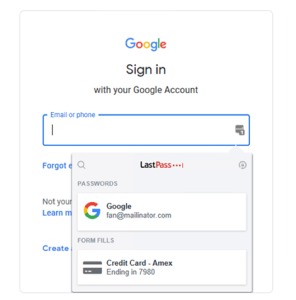
Google allows users to use password managers such as LastPass to help with log in.
Allow browser fill
All modern browsers allow users to fill in forms automatically with saved information, such as addresses, usernames and passwords and payment information. Browser fill or autofill enables users to enter information into forms quickly without the need to remember or type in their details. Forms should not prevent users from using useful features like autofill but should also consider any security risks involved.
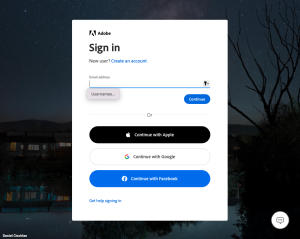
Adobe allows ‘autofill’ on its sign in form – example in Safari (macOS).
Allow copy and paste
Many people, with and without disabilities, prefer to copy and paste login credentials from a separate document into a form. Username and password fields should not block someone from doing this, as for some people copying and pasting may be the only way to enter their login information successfully. To make password entry easier, consider allowing users to view the characters they’ve entered into the field.
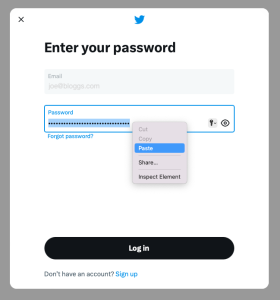
Twitter allows users to paste credentials into its login form.
Additional considerations
Multiple steps in the authentication journey
If the login process includes multiple steps (such as multi-factor authentication), none of the steps should rely on a cognitive function test. A user must be able to get through a multi-step process without depending on their own cognitive abilities to authenticate.
This requirement also applies to steps that enable users to recover or change their login credentials, such as changing their password or email address.
Multi-Factor Authentication
Multi-factor authentication (MFA), also known as two-factor authentication (2FA), is vital for ensuring online security. However, it also can be yet another barrier for users to overcome. When using MFA, giving users different ways of authenticating can help prevent further challenges. The options could include email, SMS, voice call, one-time passcode or QR code. Providing multiple options as a standard reduces the risk of an accessibility barrier and helps ensures universal access to digital services.
Registration / Sign-up
Registration or sign-up steps are not part of an “authentication” process. Authentication is for when a user already has an account. However, you must consider how users register or sign-up to ensure there aren’t any significant barriers to access.
Things to check
- Check each step in the authentication process and identify if it relies on a cognitive function test.
- If the step does rely on a cognitive function test (CFT):
- Check if the CFT requires the user to recognise objects or personal content, as these are exceptions.
- Check if there are ways to help the user complete the CFT, such as allowing ‘copy and paste’ or browser fill.
- Check if there is an alternative way through authentication using social authentication or password-less authentication such as biometrics.
Thank you for your feedback